
CookieYes in 2026: 7 Live Checks Before You Trust the Setup
Anyone evaluating cookieyes in 2026 is really balancing operational risk, marketing ambition, and buyer trust at the same time. A policy page alone does not solve that problem; the workflow behind the site does.
The decision around cookieyes usually turns on trust, conversion, and operational risk at the same time. The teams that get it right are the ones that test the live journey instead of relying on policy language alone.
That is where the current public material points too. CookieYes’s own docs split the work across pricing, auto-blocking, Google Consent Mode, geo-targeting, scans, and the revisit-consent path. Google’s consent guidance still says defaults belong in place “before any commands that send measurement data.” The ICO’s current storage-and-access guidance still reaches beyond classic cookies into tracking pixels and similar technologies. CNIL still says “rejecting cookies should be just as easy as accepting them.”
If you want nearby context first, start with these guides to consent management platform pricing, cookie notice, and cookie compliance solution. This page stays narrower. It is the cookieyes review I would use this week before approving a production rollout.
If your team is trying to get cookieyes under control without adding a heavyweight privacy stack, DataShyre can help. DataShyre focuses on consent and preference management that are easier to implement, easier to operate, and easier to trust on a live site. Start with DataShyre’s consent and preference management or book a demo.
If your team is deciding between CookieYes, Cookiebot, OneTrust, or a lighter in-house layer, DataShyre can help with consent implementation, scanner cleanup, GTM testing, privacy-page alignment, and runtime QA. That matters most when the hardest part is no longer getting a banner on screen but proving that the live site still behaves the way the banner and policy say it does.
1. Start with the pricing model, not the homepage promise
The easiest cookieyes mistake is buying from the headline card instead of from the live operating shape of the site.
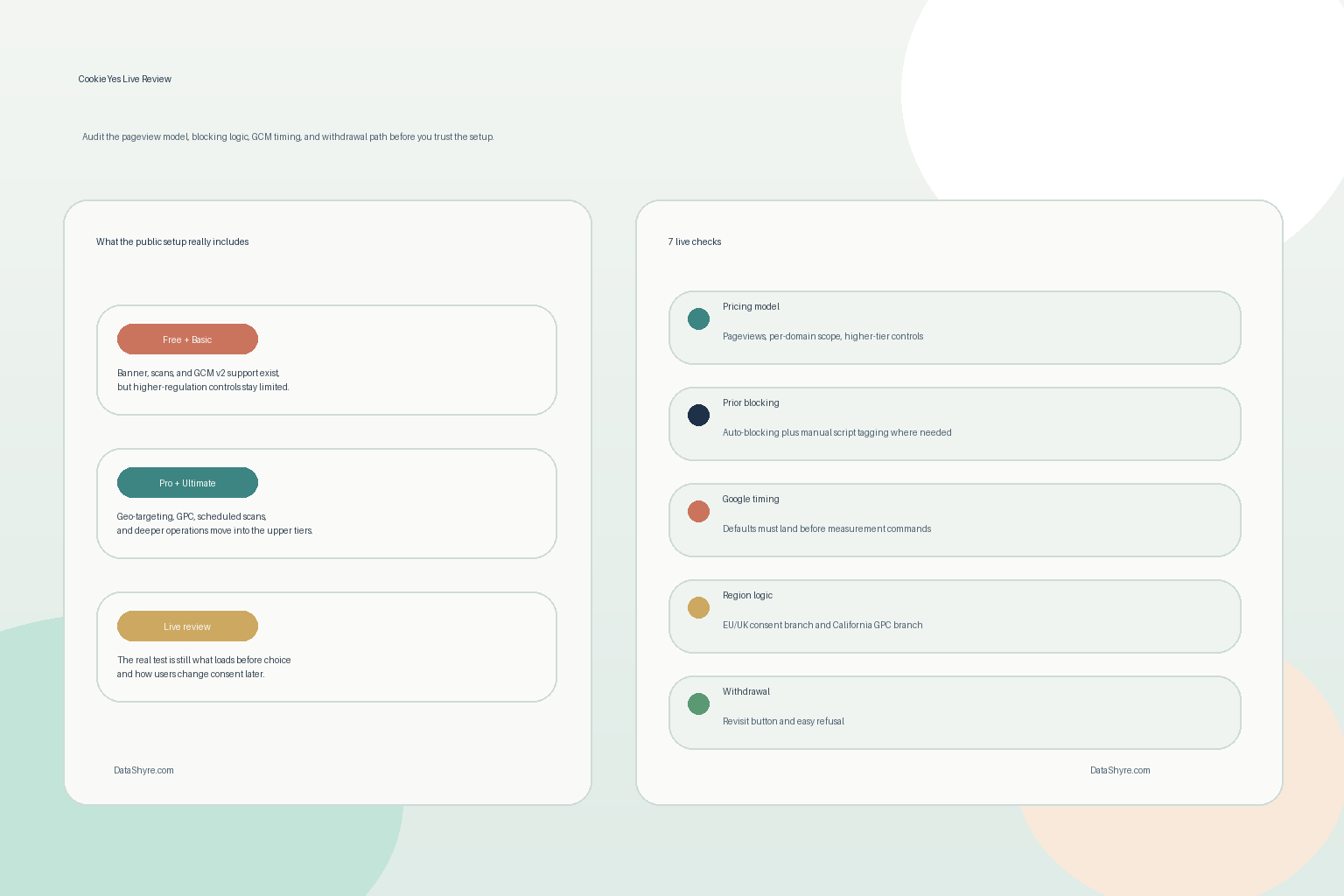
As of November 18, 2026, CookieYes’s public pricing page still makes the commercial model fairly clear:
- pricing is per domain;
- pageviews are counted when a page with the CookieYes code is loaded or reloaded;
- the Free, Basic, Pro, and Ultimate plans each raise the scan and pageview limits;
- some controls that matter for multi-region privacy work sit only in higher tiers.
That last point is the one buyers tend to miss.
The same pricing page shows:
- Google Consent Mode v2 and Google Tag Manager support across plans;
- Global Privacy Control only on Pro and Ultimate;
- geo-targeting only on Pro and Ultimate;
- scan behind login only on Ultimate;
- scheduled scans monthly on Pro and weekly on Ultimate.
So a serious cookieyes review should ask three blunt questions first:
- does the site need only a basic banner and scanner;
- does it need regional branching between EU or UK consent logic and California opt-out logic;
- does it need deeper scan coverage for authenticated or more complex user journeys.
If the answer to the second or third question is yes, the entry plan can look cheaper than it really is.
2. Treat prior blocking as a runtime test, not a feature checkbox
This is one of the most valuable cookieyes checks.
CookieYes’s current documentation still says it can auto-block third-party scripts until consent. But the same prior-consent guide also says teams sometimes need to add manual controls, including the data-cookieyes attribute on external script tags or specific URL-pattern rules for cookie-setting scripts.
That is the part that separates a real implementation from a decorative one.
For a live cookieyes review, I would test:
- first load before any choice;
- explicit reject all;
- explicit accept all;
- later changes in preferences;
- templates beyond the clean homepage, including embedded video, chat, analytics, and tag-manager branches.
Then I would inspect what actually loaded:
- external scripts;
- third-party requests;
- cookies already written;
- iframes or blocked-content fallbacks;
- anything fired through GTM or another script orchestrator.
If optional technologies still load before the intended consent state, the problem is not the banner copy. It is the runtime underneath it.
3. Review Google Consent Mode as a timing problem
This is where many cookieyes setups look fine in the dashboard and still get shaky in the browser.
CookieYes’s public pricing page still lists Google Consent Mode v2 across plans, and its support documentation says the WordPress plugin and web app can send the relevant Google consent states. But Google’s own guidance is still the harder operational rule: set the default consent state on every page “before any commands that send measurement data” such as config or event.
That means a proper cookieyes review should not stop at Support GCM being enabled.
Check:
- the default denied or granted state on a clean visit;
- whether the update lands immediately after the user acts;
- whether your GTM container or direct Google tag path is respecting that state;
- whether any Google or non-Google tags quietly run too early anyway.
CookieYes also exposes an advanced branch where Google tags can fire before consent using cookieless pings. That can be appropriate for some measurement strategies, but it should be a deliberate design choice, not something a team turns on without understanding what the state change really means.
4. Use region logic deliberately, especially if California matters
A lot of cookieyes buying conversations quietly mix together very different legal jobs.
CookieYes’s geo-targeting documentation still says teams can display different banners by user location, including one branch for the EU or UK and another for California or the US. That is useful because the operational expectations are not identical everywhere.
For UK-facing and EU-facing experiences, the ICO’s current storage-and-access guidance still covers cookies, tracking pixels, device fingerprinting, and similar technologies. For California-facing experiences, the state still expects businesses to honor a valid Global Privacy Control signal where the law applies. The California DOJ’s current GPC page says the signal “must be honored” by covered businesses as a valid request to stop sale or sharing.
So a real cookieyes region review should ask:
- which banner variant appears in which geography;
- whether the California branch is only cosmetic or actually connected to sale-or-sharing controls;
- whether the site depends on Pro or Ultimate plan features to achieve that branching;
- whether privacy disclosures and footer paths stay aligned across regions.
This is usually the point where a site moves from we have a banner to we have a privacy control system.
5. Make refusal and withdrawal genuinely easy
This is still the fastest quality check on almost any consent deployment.
CookieYes’s withdrawal documentation says users can return to the banner through the Revisit Consent Button, and its customization materials show that button can be enabled across plans. That is good. But the operational test is not whether a floating widget exists somewhere on the screen.
It is whether a normal person can:
- refuse optional tracking without friction;
- find the control again later;
- understand what each category or button does;
- reverse a past decision without hunting through the site.
CNIL’s current dark-pattern notice is still blunt: “rejecting cookies should be just as easy as accepting them.” That means a serious cookieyes review should compare the two paths directly instead of assuming the existence of a reject button settles the question.
If this branch is getting messy, this is exactly where DataShyre can help tighten the banner logic, wording, and live behavior so refusal, revisit, and disclosure actually line up.
6. Do not over-trust the scanner, especially on logged-in or complex flows
CookieYes’s scanner is useful, but the docs themselves hint at its limits.
The current scanning documentation says the platform can run manual and scheduled scans, while scan-behind-login remains an Ultimate-plan feature on request. That matters because some of the riskiest tracking or cookie behavior on modern sites does not appear on the public landing page at all.
It may show up:
- after login;
- inside checkout or quote flows;
- behind form submission steps;
- inside support widgets or account areas;
- only for certain embedded tools or campaign variants.
So for cookieyes, a good scan review checks:
- whether the scheduled scan cadence matches the rate of site changes;
- whether important URLs were excluded accidentally;
- whether login-protected or user-journey-dependent cookies are visible to the current plan;
- whether the current cookie list still matches what a browser trace shows.
If the scanner sees only the simplest public state, the consent layer may look tidier than the real site.
7. Treat logs, scans, and policy text as one proof layer
The long-term cookieyes risk is drift, not launch.
CookieYes can help with banner presentation, script gating, scans, and revisit flows. But the real control story only gets stronger if those pieces keep matching:
- the live runtime;
- the cookie list;
- the privacy or cookie policy;
- the region logic;
- the proof your team can retrieve later.
That means every meaningful site change should trigger a short re-review:
- a GTM publish;
- a new analytics or ad-tech vendor;
- a new embed or plugin;
- a pricing-plan change;
- a new region or banner branch.
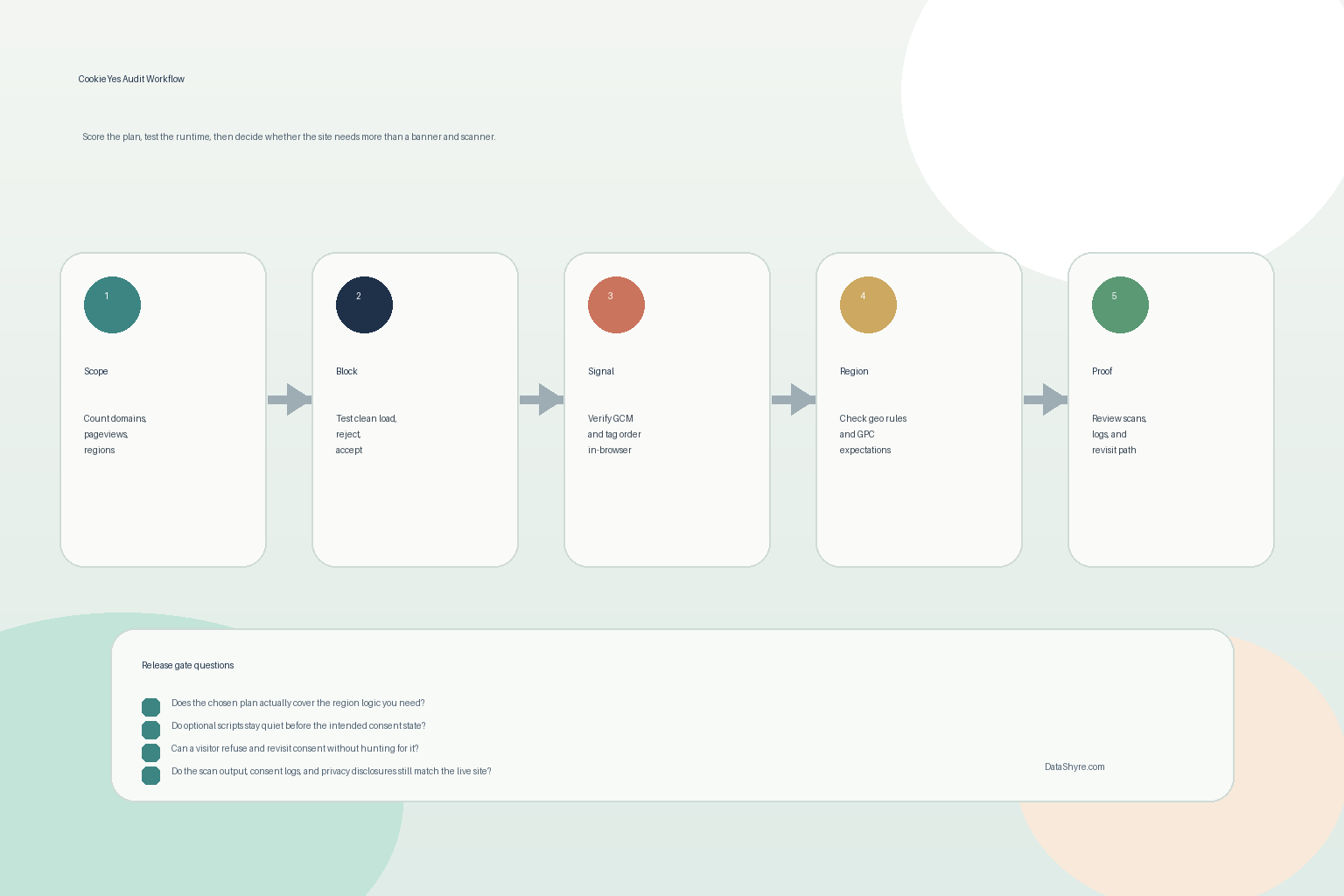
If you were reviewing cookieyes on a live site this week, I would do it in this order:
- confirm domain scope, pageviews, and plan limits;
- test pre-consent blocking in a clean browser state;
- verify Google consent timing;
- compare EU or UK and California branches where relevant;
- test refusal and later withdrawal;
- compare scan output against real browser findings and the published disclosures.
That sequence usually surfaces the real weakness much faster than more banner styling work.
FAQ
Is CookieYes enough by itself to make a site compliant?
No. Cookieyes can cover a lot of the web-consent layer, but the live site still needs accurate disclosures, region-aware behavior, tested refusal and withdrawal flows, and runtime behavior that really matches the published story.
Does CookieYes block everything automatically before consent?
Not necessarily. CookieYes supports auto-blocking, but its own documentation still includes manual blocking methods using URL patterns and the data-cookieyes attribute. Complex stacks still need live verification.
When does a site usually outgrow the cheaper CookieYes plans?
Usually when the site needs stronger regional branching, California GPC support, scheduled scans, authenticated-path coverage, or deeper proof and QA work than a simple banner rollout can provide by itself.
Bottom line
The strongest cookieyes setup in 2026 is not the one with the nicest first-layer banner.
It is the one whose plan fits the real site, whose optional technologies stay off before consent, whose Google and California branches are deliberate, whose users can refuse and return easily, and whose scans and disclosures still match the runtime after the next release.
For most teams, cookieyes becomes easier to manage once it is treated as an operating decision instead of a one-time banner task.
Sources
- CookieYes, Pricing & Plans: https://www.cookieyes.com/pricing/
- CookieYes, Pageview Pricing: https://www.cookieyes.com/documentation/pageview-pricing/
- CookieYes, How to Implement Prior Consent and Cookie Auto-Blocking: https://www.cookieyes.com/documentation/implement-prior-consent-using-cookieyes/
- CookieYes, What is geotargeting?: https://www.cookieyes.com/documentation/geotargeting/
- CookieYes, How to Scan Your Website for Cookies Using CookieYes?: https://www.cookieyes.com/documentation/scan-your-website/
- CookieYes, Can CookieYes scan for cookies behind a login?: https://www.cookieyes.com/documentation/cookieyes-scan-behind-a-login/
- CookieYes, How to change or withdraw cookie consent: https://www.cookieyes.com/documentation/how-to-withdraw-cookie-consent/
- Google for Developers, Set up consent mode on websites: https://developers.google.com/tag-platform/security/guides/consent
- ICO, Final storage and access technologies guidance published: https://ico.org.uk/about-the-ico/media-centre/news-and-blogs/2026/04/final-storage-and-access-technologies-guidance-published/
- CNIL, Dark Patterns in Cookie Banners: CNIL issues formal notice to website publishers: https://www.cnil.fr/en/dark-patterns-cookie-banners-cnil-issues-formal-notice-website-publishers
- California Department of Justice, Global Privacy Control (GPC): https://oag.ca.gov/privacy/ccpa/gpc