
Cookie Control in 2026: 7 Live Checks Before You Trust the Setup
Anyone evaluating cookie control in 2026 is really balancing operational risk, marketing ambition, and buyer trust at the same time. A policy page alone does not solve that problem; the workflow behind the site does.
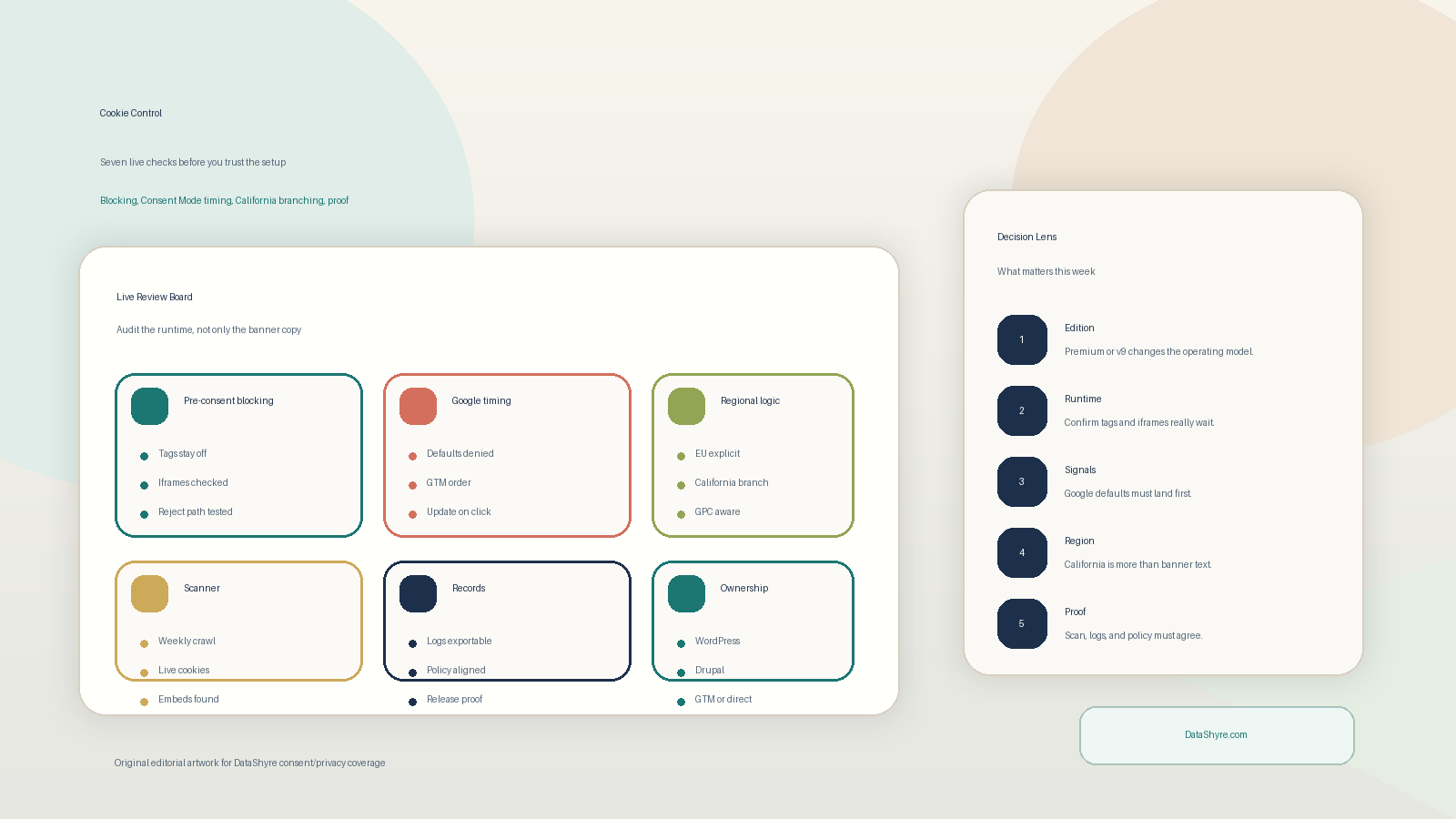
The decision around cookie control usually turns on trust, conversion, and operational risk at the same time. The teams that get it right are the ones that test the live journey instead of relying on policy language alone.
Cookie Control’s current public materials present Premium as a consent platform that scans the site, generates a banner through a guided wizard, blocks or releases third-party scripts based on user choice, and stays current with scheduled audits. The same live materials also surface Google Consent Mode v2, WordPress and Drupal plugins, geolocation-based compliance modes, and script blocking as core parts of the setup.
If you want nearby context first, start with these guides to CookieYes, Cookiebot pricing, and cookie compliance solution. This page stays narrower. It is the cookie control review I would use this week before approving a rollout.
If your team is trying to get cookie control under control without adding a heavyweight privacy stack, DataShyre can help. DataShyre focuses on consent and preference management that are easier to implement, easier to operate, and easier to trust on a live site. Start with DataShyre’s consent and preference management or book a demo.
If your team is comparing Cookie Control with OneTrust, Cookiebot, or a homegrown banner, DataShyre can help with consent implementation, Google Tag Manager QA, banner-to-policy alignment, and migration cleanup. That matters most when the hard part is no longer getting a banner on screen but proving that the live site really behaves the way the banner claims.
1. Decide whether you are reviewing Premium or v9
The first cookie control mistake is talking about the product as if it were one deployment model.
Cookie Control’s current materials separate v9 from Premium pretty clearly.
Premium is positioned as a wizard-driven account setup. CIVIC’s current site says teams can scan the domain, configure the banner in the wizard, publish from the account, and avoid code edits for each wording or configuration change. The current Premium docs also describe scheduled audits and account-level publishing. By contrast, the current v9-versus-Premium comparison says v9 keeps a JavaScript configuration object in the codebase and can require a code release for each change.
That difference matters more than it sounds.
If your real question is can non-technical users own the wording and category changes, Premium may fit better.
If your real question is do we want this configuration versioned directly in the codebase, v9 may still appeal.
So the first cookie control check is simple:
- which edition are we actually reviewing;
- who owns wording, categories, and integrations day to day;
- whether the current release process tolerates account-published changes or insists on code review for every edit.
2. Test blocking before consent on the pages that usually get missed
This is where cookie control stops being a banner decision and becomes a runtime decision.
Cookie Control’s current Premium script-blocking docs say it blocks all non-necessary scripts until the user has given consent, and the current product pages say scripts and iframes can be blocked automatically before consent. The ICO’s current 2026 storage-and-access guidance is still blunt too: businesses “must not pre-enable non-exempt” technologies and should design the service with those controls in mind.
That means a real cookie control review should test more than the homepage:
- first visit with no prior choice;
- explicit reject all;
- explicit accept all;
- later preference changes;
- embedded video, chat, maps, booking, and tag-manager branches.
Then inspect what actually happened:
- cookies or other storage written in the browser;
- third-party requests;
- iframes that loaded anyway;
- scripts injected through GTM or another manager;
- pages with custom HTML or old embeds outside the main template.
If optional technologies still load before the intended choice, the setup is not really passing just because the banner appears.
3. Treat Google Consent Mode as a timing check, not a feature checkbox
This is one of the most important cookie control checks in late 2026.
Cookie Control’s current Google Consent Mode v2 documentation says the integration applies denied defaults before Google scripts run and then updates the consent signals when the visitor accepts or revokes the mapped category. Google’s own current consent guide is still the harder operational rule: set the default consent state on every page “before any commands that send measurement data” such as config or event.
So the right review is not does Cookie Control support Consent Mode.
It is:
- does the default denied state really land first;
- does the update happen on the same page where the choice is made;
- if GTM is involved, are tags still firing too early;
- if returning preferences exist, do they load in time to avoid the wrong default behavior;
- if you are using advanced Google behavior, do you understand what still gets sent.
Cookie Control’s own current guidance also says Consent Mode is not a general-purpose blocker. That is a useful reminder. Google signaling and broader third-party blocking are related, but they are not the same control.
If your team is uncertain about GTM ordering, category mapping, or late-firing measurement tags, this is exactly the kind of implementation review DataShyre can help tighten before a production release.
4. Choose the right ownership path for WordPress, Drupal, or GTM
A lot of cookie control setups get harder because the team never decides where operational ownership really lives.
Cookie Control’s current Premium plugin docs say there are plugin paths for WordPress or Drupal, and the templates page also points teams to a GTM template when they prefer that deployment pattern. That means your how do we install it question is also a who will own it after launch question.
Check:
- whether the marketing or site-admin team needs to change copy without a developer;
- whether engineering wants the script tag directly in the site or managed through GTM;
- whether plugin-based convenience introduces another layer that nobody monitors after launch;
- whether multi-site or multi-editor environments need one account-level standard;
- whether the privacy page and cookie categories are updated by the same people.
The cleanest cookie control setup is usually the one with the clearest operating owner, not the one with the shortest install guide.
5. Separate California branching from EU or UK consent assumptions
This is where many cookie control evaluations get too comfortable too fast.
Cookie Control’s current compliance-mode docs say it uses geolocation to upgrade to stricter modes where required, and that implied-consent behavior is only suitable for CCPA territories such as California, not Europe. That is useful, but it is not the whole California story.
The California Privacy Protection Agency’s current 2026 OOPS rulemaking materials say businesses need to determine whether they have received an opt-out preference signal before setting cookies or other tracking technologies that facilitate sale or sharing. The same materials also explain why CMP and TMS coordination matters when those technologies are controlled client-side.
So a real cookie control California review should ask:
- whether the California branch is just a different banner presentation or a real opt-out control path;
- whether GPC or similar signals are checked early enough;
- whether advertising or sharing-related scripts stay blocked until that signal is processed;
- whether the privacy page explains the California path honestly;
- whether the site can show and confirm the user’s opt-out status where needed.
This is also why a banner alone never closes the whole California job. The browser behavior, downstream scripts, and rights path still have to agree.
6. Review scans, records, and policy text as one proof layer
Cookie Control’s current site emphasizes scans, scheduled rescans, and records you can produce on demand. That is a good start, but the real question is whether those layers still match each other after the site changes.
For cookie control, check whether:
- the scanner really covers the pages that matter;
- the category labels match the live technologies found;
- the policy or cookie page describes the same vendors and purposes the banner controls;
- the recorded preferences are retrievable when a customer or regulator asks;
- the records stay useful after the stack changes.
This matters because the hardest failures often come from drift:
- the banner still says
analytics; - GTM now loads a new ad-tech vendor;
- the cookie page was not updated;
- the scan has not been rerun on the pages where the new tool appears.
If your site changes often, proof is less about having a record than about knowing the record still matches reality.
7. Add a change-control trigger before the next release breaks the setup
The long-term cookie control risk is not launch. It is quiet breakage after launch.
The ICO’s current consent-practice guidance still says that if you introduce new technologies or a different purpose from the one originally stated, you must obtain “fresh consent” for the new technology or purpose. Cookie Control’s own current materials also distinguish between code-led v9 changes and Premium’s account-published changes with “no redeployment”.
That means a solid cookie control operating rhythm should trigger review whenever the team:
- adds a new vendor, pixel, iframe, or SDK;
- changes GTM logic or consent mappings;
- opens a new regional branch;
- updates category wording or purposes;
- changes the privacy or cookie policy;
- migrates between v9, Premium, GTM, or plugin ownership patterns.
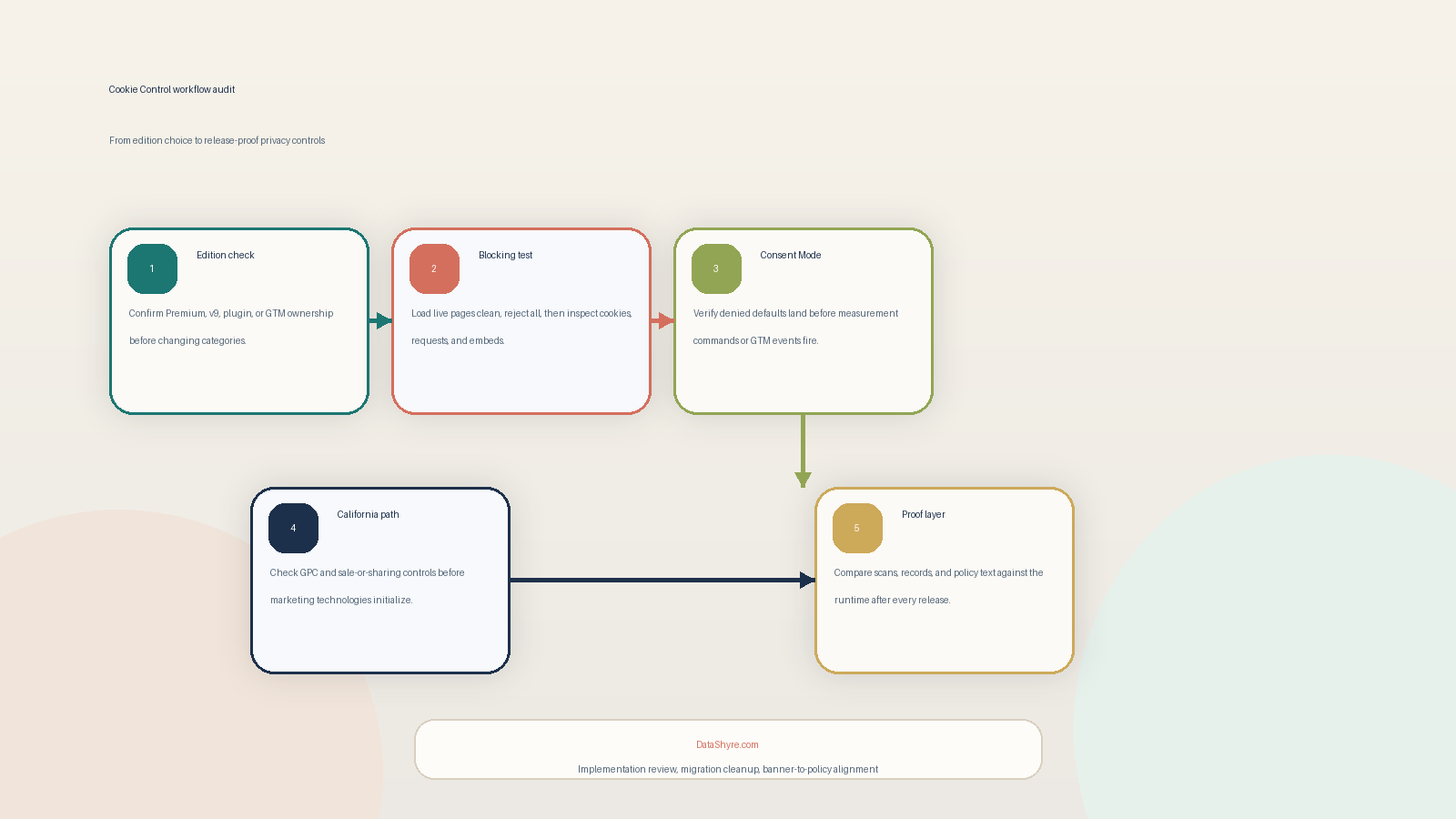
If you were reviewing cookie control on a live site this week, use this order:
- confirm whether the stack is Premium or v9;
- test true pre-consent blocking on the pages most likely to be missed;
- verify Google Consent Mode timing and GTM ordering;
- confirm WordPress, Drupal, or GTM ownership;
- separate California branching from EU or UK consent assumptions;
- compare scans, records, and policy text against the real site;
- define the release events that force a re-review.
That sequence surfaces real implementation risk much faster than another round of banner styling work.
FAQ
Is Cookie Control enough by itself to make a site compliant?
No. Cookie control can cover a meaningful part of the web-consent layer, but the live stack, disclosures, Google signals, California opt-out handling, and change-control process still need review.
Does Cookie Control block scripts before consent?
Its current Premium documentation says non-necessary scripts are blocked by default until consent, but you should still verify live behavior on the pages and embeds your users actually hit.
Can Cookie Control cover California as well as EU or UK visitors?
For most teams, cookie control becomes easier to manage once it is treated as an operating decision instead of a one-time banner task.