
OneTrust Cookie Consent Google Tag Manager in 2026: 7 Live Checks That Prevent Silent Drift
Anyone evaluating onetrust cookie consent google tag manager in 2026 is really balancing operational risk, marketing ambition, and buyer trust at the same time. A policy page alone does not solve that problem; the workflow behind the site does.
The linked DataShyre guides help with the broader policy context, but the real business decision still comes down to whether the live site behavior matches the promises made on the page.
That framing matters because this stack fails quietly. A workspace can look tidy while a tag still runs too early, a refusal path can look available while the page still nudges acceptance, and a later container publish can reopen a gap the team thought it had already closed.
For adjacent context, start with these guides to Google Tag Manager cookie consent, cookie consent manager, and cookie consent banner. This page is narrower. It is the seven-check review I would run before trusting a live OneTrust plus GTM deployment this week.
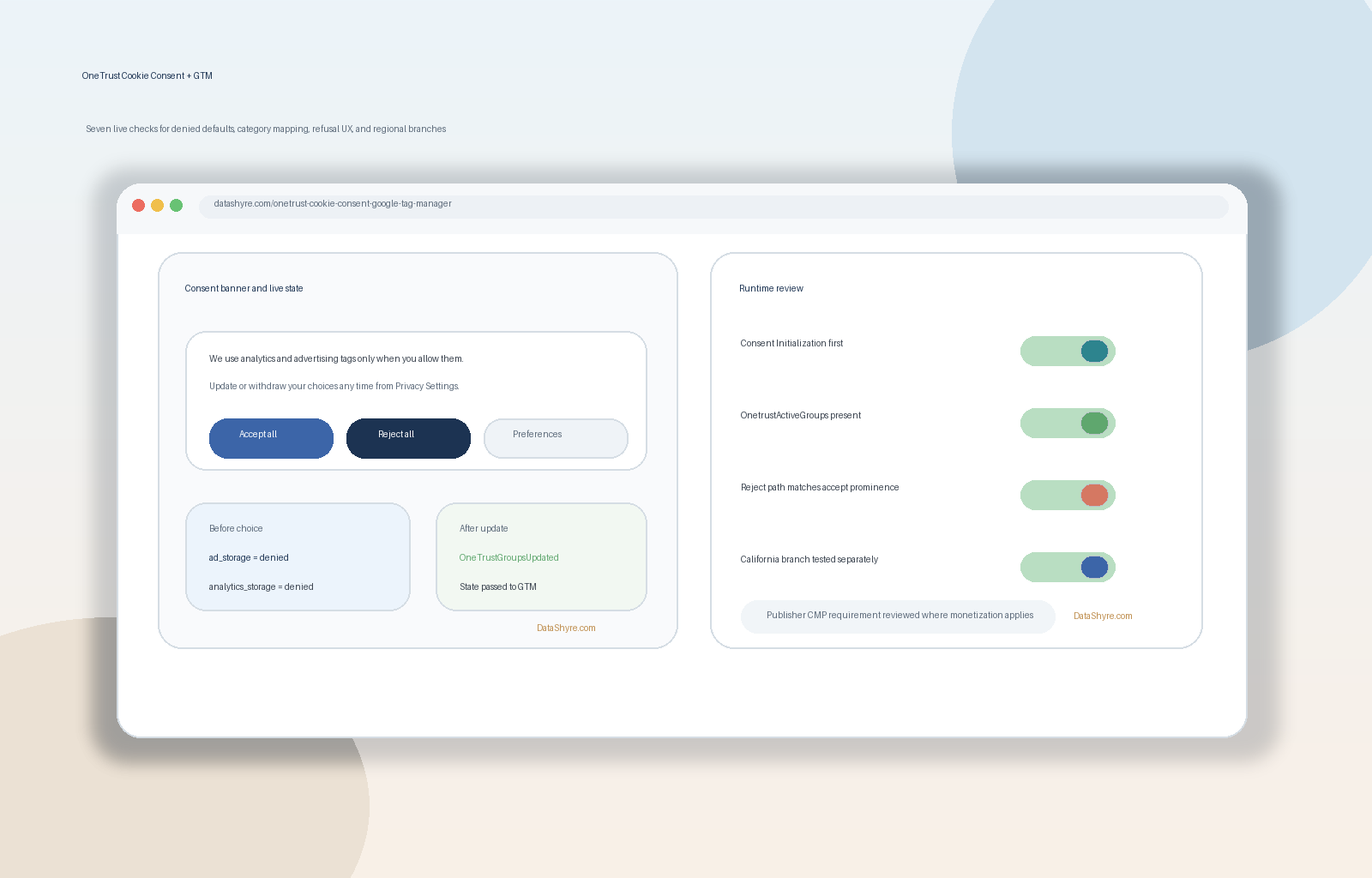
1. Set consent state before the rest of the container matters
The first failure is usually load order.
Google’s current troubleshooting guidance still says the recommended Tag Manager path is to use a CMP tag template, add the CMP provider’s tag from the Community Template Gallery, and fire it on Consent Initialization – All Pages. The same guidance also says the default consent state should include at least ad_storage, analytics_storage, ad_user_data, and ad_personalization, and that defaults should not be set late or asynchronously.
That means the first review should be simple:
- does the OneTrust consent-writing tag fire on
Consent Initialization - All Pages; - do other page-load tags wait until consent has been initialized; and
- does a clean first visit begin in the denied state you intended.
If an ad or analytics tag evaluates before that state exists, the rest of the implementation is already on the back foot.
2. Decide which OneTrust signal path you are using and test that path on purpose
Many teams talk about onetrust cookie consent google tag manager as if there is one universal signal path.
There is not.
OneTrust’s current GTM documentation still says the platform populates OnetrustActiveGroups with the active category IDs and fires OneTrustGroupsUpdated when a visitor updates consent. That path is still useful for category-based triggers and later preference changes. But OneTrust also documents a second option that matters when tags depend on a first-page event: using the OptanonConsent cookie. OneTrust says that cookie is set on page load, and it specifically warns that adding Page View or DOM Ready triggers in that setup will likely cause triggers not to fire on the first page load.
So the practical question is not only “does OneTrust connect to GTM?” It is:
- are you driving your tags from
OnetrustActiveGroups,OneTrustGroupsUpdated, theOptanonConsentcookie, or a deliberate mix; - does that choice match the actual event timing on the page; and
- can another person on the team explain the reason for that choice without guessing.
If the answer is no, the integration is more fragile than it looks.
3. Map Google consent types clearly and keep non-Google tags in a separate mental bucket
OneTrust’s consent-mode guidance and Google’s consent documentation still point to the same core idea: user choice has to reach Google in a structured way, and Google tags then adapt their behavior based on that state.
For most current website implementations, the minimum review set is still:
analytics_storagead_storagead_user_dataad_personalization
OneTrust’s consent-mode materials also still stress that default settings apply only to the current page unless you replay them on later pages from your own consent storage. That matters because a setup can look correct during one click-path and still fail on the next page load if the state is not re-established properly.
This is also where teams over-trust consent mode.
Google tags may have built-in consent checks, but many non-Google tags do not. If you gate Google Analytics correctly but leave a custom HTML tag, replay tool, chat widget, affiliate script, or third-party pixel on a broad trigger, the page can still drift away from the choice the banner promised.
For onetrust cookie consent google tag manager, I would therefore test two tracks separately:
- whether Google tags are reading the intended consent types; and
- whether non-Google tags are still blocked or routed correctly under the same consent choice.
4. Treat Reject all as a runtime check, not just a copy check
A OneTrust deployment can be technically neat and still fail the choice test on the first layer.
The European Commission still says consent requests should use “clear and plain language” and that withdrawal should be as easy as giving consent. CNIL’s current wording remains even more direct: “rejecting cookies should be just as easy as accepting them.”
That should change how you test the GTM build.
Do not stop at asking whether the text looks balanced. Ask:
- is
Reject allavailable whereverAccept allis available; - is the refusal path equally visible on mobile;
- does refusal take the same number of steps as acceptance; and
- after refusal, do the tags and requests actually behave like refusal happened.
If the interface nudges one outcome and the runtime follows that nudge, the CMP and GTM layers are reinforcing the same problem.
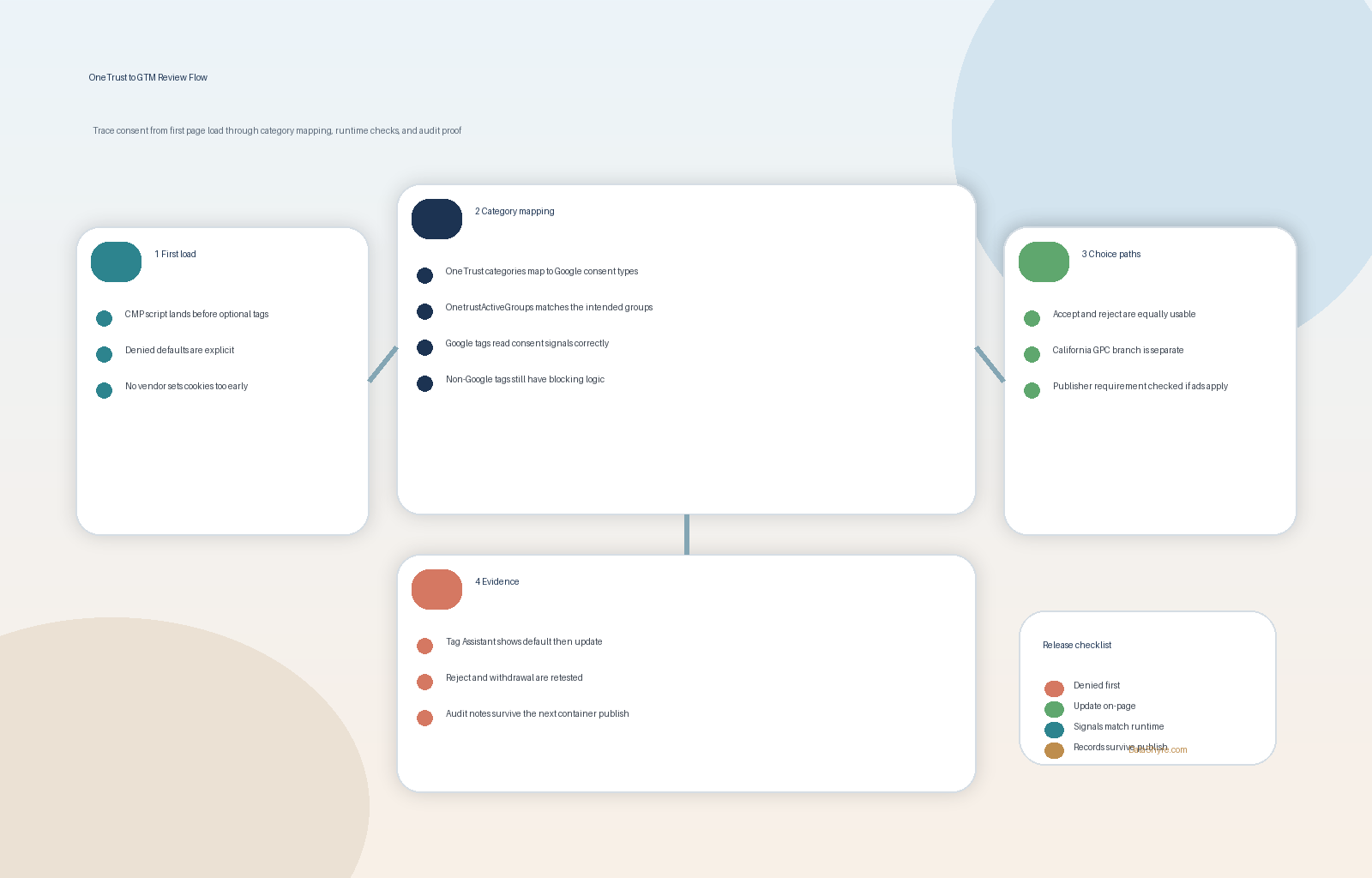
5. Keep Google’s publisher ad requirement separate from general consent hygiene
This is the mistake that causes the most confused stakeholder conversations.
Google’s current CMP requirements for publisher ads still say partners using AdSense, Ad Manager, or AdMob must use a Google-certified CMP integrated with the IAB Transparency and Consent Framework when serving personalized ads in the EEA and UK as of January 16, 2024, and in Switzerland as of July 31, 2024.
But the same Google help documentation also says Google “does not check CMPs for full compliance” with the TCF or applicable privacy laws.
That means a serious onetrust cookie consent google tag manager review should keep two separate questions alive:
- does the deployment meet the publisher-program requirement where that requirement applies; and
- does the wider consent experience still hold up on fairness, timing, blocking, and withdrawal.
Those are related questions, but they are not the same question.
6. Test with Tag Assistant, the network panel, and a clean-session routine
The safest review still happens in tools, not in screenshots.
Google’s current Tag Assistant guidance tells implementers to verify the earliest Consent event, check whether the page set the default consent correctly, and then verify the most recent Consent event after the visitor interacts with the banner. That same flow is useful even when the implementation technically “works,” because it shows whether the defaults were early enough and whether updates actually changed the right parameters.
My minimum runtime test for this stack would be:
- open a fresh browser session;
- load the page without interacting;
- inspect GTM Preview or Tag Assistant for the earliest consent event;
- confirm the default state for
ad_storage,analytics_storage,ad_user_data, andad_personalization; - accept all and verify the latest consent event updates as expected;
- reject all or deny the advertising categories and verify the page behaves accordingly; and
- reopen settings later and confirm that withdrawal changes behavior, not only the visible UI.
When a setup fails, the failure is often boring: the defaults were set too late, the update never fired, or a broad trigger ignored the consent state entirely.
7. Keep evidence that survives the next publish
The real enemy of onetrust cookie consent google tag manager is not only the first implementation.
It is drift.
The next GTM publish, the next remarketing pixel, the next embedded tool, or the next regional rule update can reopen a path that looked closed last month.
So the final check should be evidence you can still use later:
- the banner version and first-layer copy that was live;
- the OneTrust category map in force on that date;
- the GTM container version that was published;
- test evidence for pre-consent, accept, reject, and later withdrawal states; and
- notes on whether the publisher-ad branch was reviewed separately.
If your team cannot reconstruct what the visitor saw, what OneTrust stored, what GTM received, and what the tags did next, the setup is harder to defend and harder to fix.
A short review order for this week
If I were checking onetrust cookie consent google tag manager today, I would use this order:
- verify
Consent Initialization - All Pages; - confirm which OneTrust signal path the build actually uses;
- inspect the four Google consent parameters and the category map behind them;
- test
Accept allandReject allon desktop and mobile; - split out the publisher-ad requirement if it applies;
- run Tag Assistant and network checks on a clean session; and
- save enough evidence to survive the next publish.
That sequence usually tells you more than another round of banner copy edits.
FAQ
Does OneTrust plus GTM automatically mean the site is compliant?
No. Google’s own CMP requirements say certification does not confirm full privacy-law compliance, and a technically connected stack can still fail on refusal UX, timing, or later withdrawal.
Is OnetrustActiveGroups enough for every GTM setup?
Not always. OneTrust still documents OnetrustActiveGroups and OneTrustGroupsUpdated for category-based trigger logic, but it also documents OptanonConsent for cases where first-page event timing matters.
What is the fastest way to find a broken setup?
Open a clean browser session, inspect the earliest consent event in Tag Assistant, then compare what happens before consent, after acceptance, and after refusal or withdrawal. That usually exposes timing gaps faster than a visual review alone.
Bottom line
The strongest onetrust cookie consent google tag manager setup in 2026 is not the one with the prettiest banner or the longest implementation checklist.
It is the one that establishes consent state early, uses a deliberate OneTrust signal path, maps consent types clearly, makes refusal genuinely easy, separates publisher rules from general privacy review, and still behaves correctly when you test it live.
For most teams, onetrust cookie consent google tag manager becomes easier to manage once it is treated as an operating decision instead of a one-time banner task.
Sources
- Google for Developers: Troubleshoot consent mode with Tag Assistant
- Google AdSense Help: Google consent management requirements for serving ads in the EEA, the UK and Switzerland (for CMPs)
- OneTrust Developer Docs: Google Tag Manager
- OneTrust Developer Docs: Google Consent Mode
- ICO: Final storage and access technologies guidance published, April 29, 2026
- European Commission: Legal grounds for processing data
- CNIL: Dark Patterns in Cookie Banners: CNIL issues formal notice to website publishers
- EDPB: Practical examples on consent
—
Published: October 21, 2026. Updated using current official regulator, platform, and vendor materials available at publication time.