
Cookie Generator in 2026: 7 Checks Before You Trust One
Anyone evaluating cookie generator in 2026 is really balancing operational risk, marketing ambition, and buyer trust at the same time. A policy page alone does not solve that problem; the workflow behind the site does.
The decision around cookie generator usually turns on trust, conversion, and operational risk at the same time. The teams that get it right are the ones that test the live journey instead of relying on policy language alone.
That matters because a cookie generator can mean at least three different things:
- a banner or bar generator;
- a cookie-policy generator; or
- a fuller consent-management layer that also controls scripts, records choices, and handles region-specific behavior.
The official sources still point to the same practical standard. The ICO’s current storage-and-access guidance says that if no exception applies, you must obtain “prior consent” for non-exempt technologies. The same guidance says users must be able to refuse with the same ease as they accept, and if you introduce a new technology or purpose you must obtain “fresh consent”. Google’s current consent-mode guidance still says the default consent state has to be set “before any commands that send measurement data.” And California’s Department of Justice still says a valid Global Privacy Control signal “must be honored” by covered businesses that sell or share personal information.
If you want the closest companion reads first, start with these guides to cookie bar generator, cookie policy generator, and cookie compliance solution. This page stays broader. It is the cookie generator review I would use this week before putting a new consent layer on a production site.
If your team is trying to get cookie generator under control without adding a heavyweight privacy stack, DataShyre can help. DataShyre focuses on consent and preference management that are easier to implement, easier to operate, and easier to trust on a live site. Start with DataShyre’s consent and preference management or book a demo.
If your team needs the generator, the runtime, and the proof layer to line up, DataShyre can help with consent management, data mapping, and implementation cleanup. The recurring problem is rarely getting a widget on screen. It is keeping the generated copy, the tag behavior, and the user-choice path in sync after the next release.
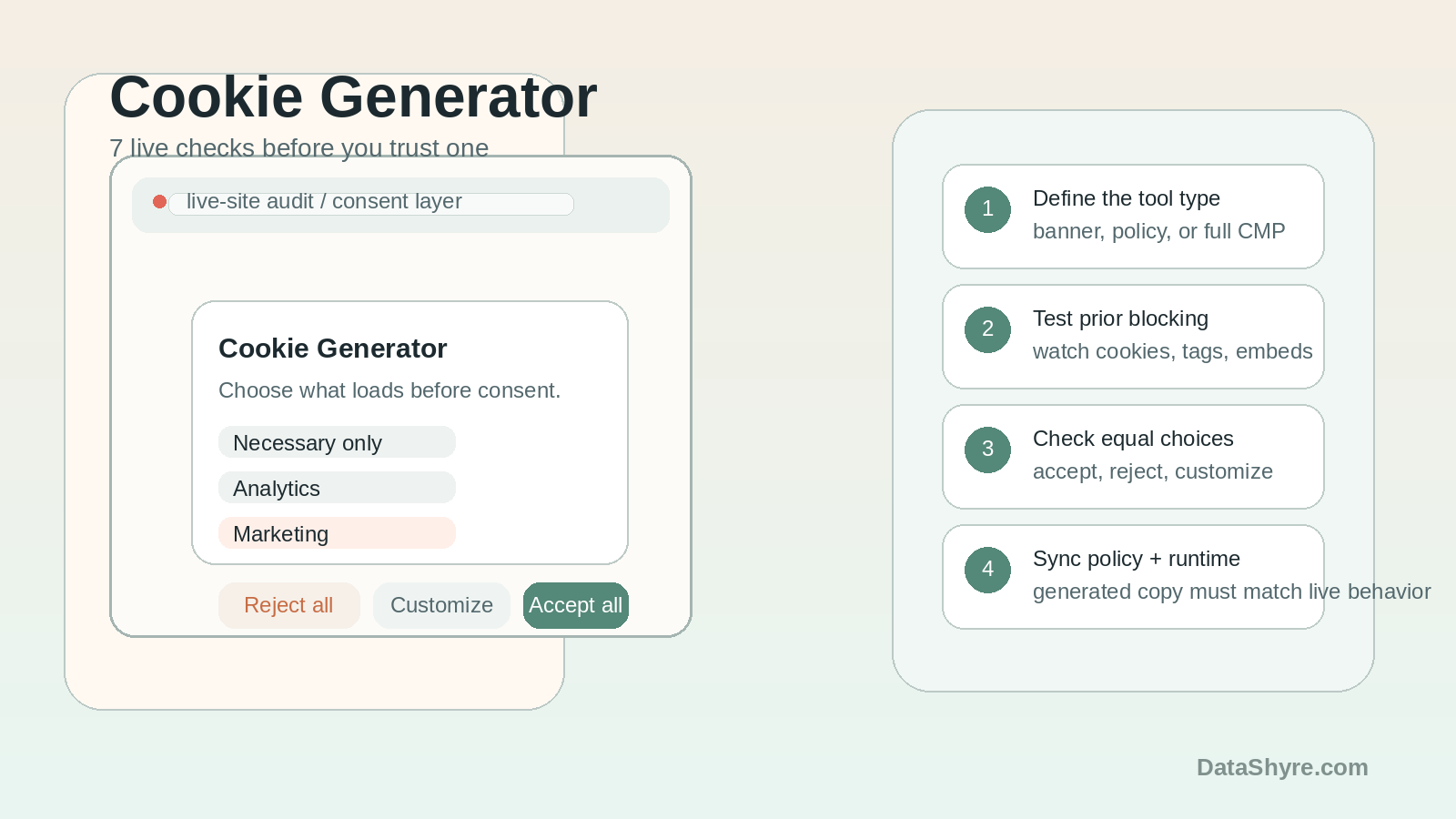
1. Decide whether you need a banner generator, a policy generator, or a real control layer
The first cookie generator mistake is buying one category of tool while expecting another.
Some tools mainly generate interface copy.
Some mainly generate policy text.
Some also control what loads, what gets blocked, what can be reopened later, and how regional logic behaves.
That distinction matters because the compliance risk is not identical:
- a banner generator may solve presentation but not runtime blocking;
- a policy generator may solve drafting but not browser behavior;
- a fuller CMP may solve more of the stack, but it still needs implementation QA.
So before you compare vendors or designs, define what the site actually needs:
- prior blocking of optional technologies;
- granular categories and clear labels;
- a policy page that matches the live stack;
- Google consent signaling;
- California opt-out handling;
- a reopen or withdrawal path from every page.
If you skip that step, the wrong cookie generator can look polished while leaving the real privacy problem in place.
2. Verify that non-essential technologies really stay off before consent
This is the line between a useful cookie generator and a decorative one.
The ICO’s live guidance still says you must obtain prior consent for non-exempt storage and access technologies unless a specific exception applies. That means you should not trust a dashboard checkbox or a product screenshot on its own.
Test the live site:
- on a clean browser visit with no existing choice;
- after
reject all; - after
accept all; - after granular selection;
- after reopening and changing the choice later.
Then inspect what actually happened:
- cookies set in the browser;
- third-party requests;
- tag-manager activity;
- embeds such as video, chat, or scheduling widgets;
- storage beyond classic cookies.
If analytics, advertising, or other optional technologies still load before consent, the cookie generator has not solved the real implementation problem.
3. Make reject as easy as accept on the first layer
This is still the fastest quality test.
The ICO’s current PECR guidance says users must be able to refuse non-exempt technologies as easily as they accept them. The ICO’s practical consent guidance says it must be “as easy to refuse consent as it is to accept.”
For a real cookie generator review, compare:
- the prominence of
accept all; - the prominence of
reject all; - the visibility of
customize; - the number of clicks required for each path;
- the mobile layout, not only desktop.
If reject is hidden as low-contrast text, buried on a second layer, or materially slower than accept, the tool may still be increasing friction right where regulators expect it to decrease.
4. Check that the generated policy and the generated controls tell the same story
A cookie generator often fails in the handoff between interface and disclosure.
The banner categories, the policy page, and the live vendor list need to agree about:
- what each category means;
- which third parties are involved;
- whether a category is necessary or optional;
- how a person changes their choice later;
- what happens after a refusal or withdrawal.
This is where a lot of generated output goes stale. The banner says analytics. The policy says performance. The runtime includes ad-tech, pixels, or embedded services that fit neither label cleanly.
That mismatch matters because the generated copy is only useful if it still describes the live stack honestly.
5. Treat Google Consent Mode as a timing test, not a feature list item
Many teams now expect a cookie generator to work cleanly with analytics and advertising tags.
That raises a more specific implementation question.
Google’s current consent-mode setup guidance says the default consent state should be set “before any commands that send measurement data” on the page. So it is not enough for a tool to claim that it supports Google Consent Mode.
Check:
- whether the default denied or granted state appears before measurement commands;
- whether updates fire immediately after a user choice;
- whether your GTM container or direct Google tags respect that state;
- whether any tags still send data too early;
- whether the generated documentation matches the live implementation pattern.
This is one reason the best cookie generator is rarely the one with the nicest editor. The better tool is the one that helps your engineering and marketing layers behave correctly at runtime.
6. Test whether California opt-out handling is real or just marketing copy
If a cookie generator is supposed to cover US privacy expectations as well as EU or UK consent, test the California branch directly.
California’s DOJ still says that a valid Global Privacy Control request “must be honored” by covered businesses as a request to stop the sale or sharing of personal information.
That means a serious review should ask:
- does the site detect and respond to the signal where applicable;
- does the generator support a meaningful California choice path, not only an EU-style banner;
- do the visible labels match the legal job being done;
- does the privacy page explain the choice path clearly;
- do downstream tags or recipients actually stop the relevant data flow.
This is where teams often discover that the tool can show a banner in every region, but the real opt-out handling underneath is much thinner than the product page implies.
7. Add a re-review trigger before the next release breaks the setup
The biggest long-term cookie generator risk is drift.
The ICO’s current guidance says that if you introduce new technologies or a different purpose from the one originally disclosed, you must obtain “fresh consent”.
That means the generator cannot be treated as a one-time setup.
You need a short re-review whenever:
- a new pixel, script, or SDK is added;
- GTM or another tag orchestrator changes;
- a new embed or vendor goes live;
- a category definition changes;
- a new region-specific rule is introduced;
- the policy or reopen path is edited.
If those change triggers are missing, the cookie generator becomes a copy machine instead of an operating control.
A practical cookie generator review order for this week
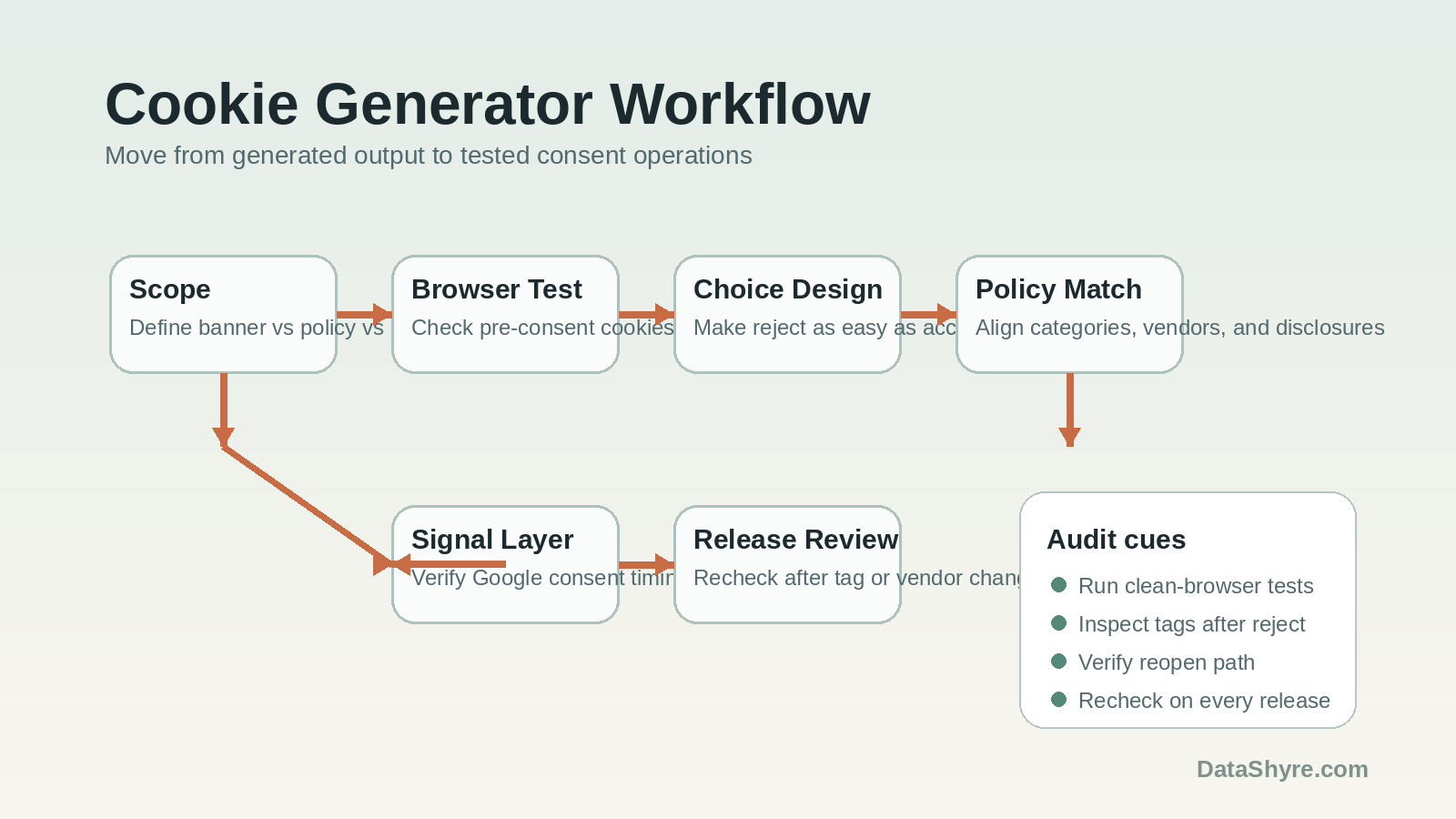
If you were reviewing a cookie generator today, use this order:
- define whether the need is banner generation, policy generation, or full consent control;
- test pre-consent and post-consent runtime behavior in the browser;
- compare accept, reject, and customize friction on mobile and desktop;
- align the generated controls with the generated policy text and vendor list;
- verify Google consent timing where measurement tags matter;
- test California opt-out handling and GPC response where applicable;
- re-run the review after every meaningful tag, vendor, or purpose change.
That sequence usually surfaces the real weakness much faster than comparing visual themes.
FAQ
Is a cookie generator the same as a CMP?
Not always. Some cookie generator tools mainly produce a banner or policy draft. Others also control script blocking, proof, region logic, and consent updates. The live behavior matters more than the label.
Can a cookie generator make a site compliant by itself?
No. A cookie generator can accelerate setup, but the live site still needs accurate disclosures, working prior blocking, easy refusal and withdrawal, and tested downstream behavior.
What is the biggest risk with a cookie generator?
Drift. The generated layer can look finished while the tag stack, vendors, purposes, or regional logic keep changing underneath it.
Bottom line
The best cookie generator in 2026 is not the one that makes the prettiest modal.
It is the one that helps your site collect valid choices before optional technologies load, keeps refusal easy, keeps the policy honest, respects measurement timing, and still works after the next release.
For most teams, cookie generator becomes easier to manage once it is treated as an operating decision instead of a one-time banner task.
Sources
- ICO, How do we manage consent in practice?: https://ico.org.uk/for-organisations/direct-marketing-and-privacy-and-electronic-communications/guidance-on-the-use-of-storage-and-access-technologies/how-do-we-manage-consent-in-practice/
- ICO, What are the PECR rules?: https://ico.org.uk/for-organisations/direct-marketing-and-privacy-and-electronic-communications/guidance-on-the-use-of-storage-and-access-technologies/what-are-the-pecr-rules/
- Google Analytics Help, Set up consent mode: https://support.google.com/analytics/answer/14009635?hl=en
- California DOJ, Global Privacy Control (GPC): https://oag.ca.gov/privacy/ccpa/gpc